 How to turnoff pop-up blocker in Mozilla Firefox
 How to turnoff pop-up blocker in Mozilla Firefox
1. Start Firefox
2. Go to the Tools menu and click on "Options"
Now option window will be opened
3. Click on Content Tab

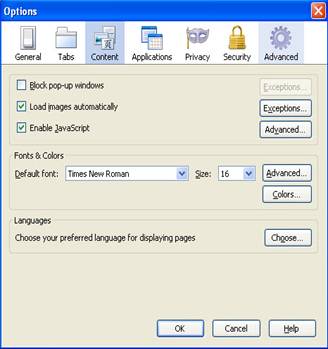
4. To turnoff all pop-ups just uncheck the "Block pop-up windows" box.
5. Click “OK”